Connect Binotel to your CRM system
A CRM integration with Binotel allows you to receive and make calls, assign managers, and save and play back the recordings of your phone calls. All this will help you improve customer service and increase business efficiency.
We will talk about how to connect Binotel to your CRM system, make calls, and view your call details.
How to integrate Binotel with CRM
Go to CRM > Integrations tab, and select Binotel Telephony.

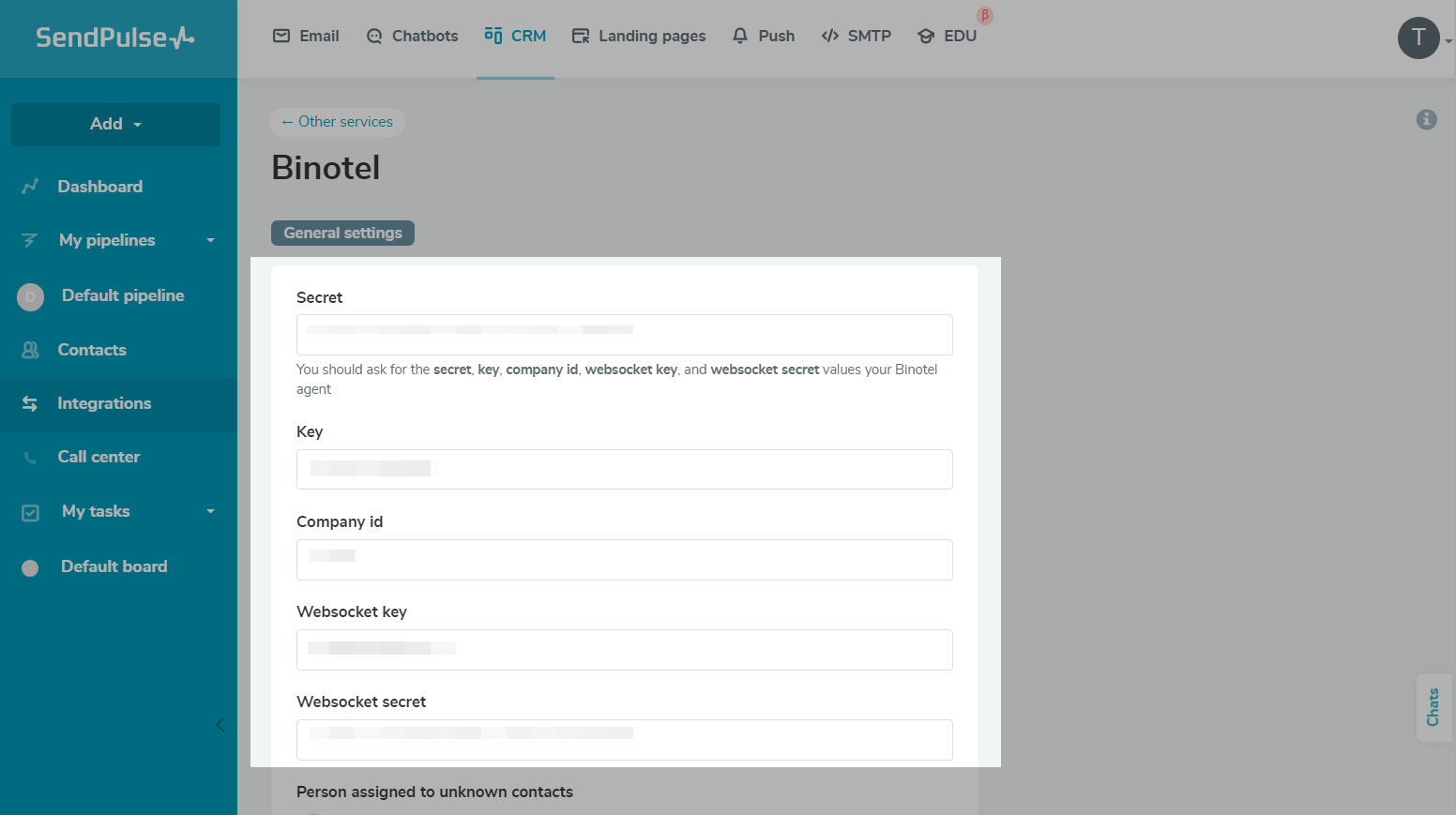
You will see a dialog box where you need to fill in the following:
- secret;
- key;
- external ID;
- websocket key;
- websocket secret.
You will need to contact your Binotel manager to obtain this information.
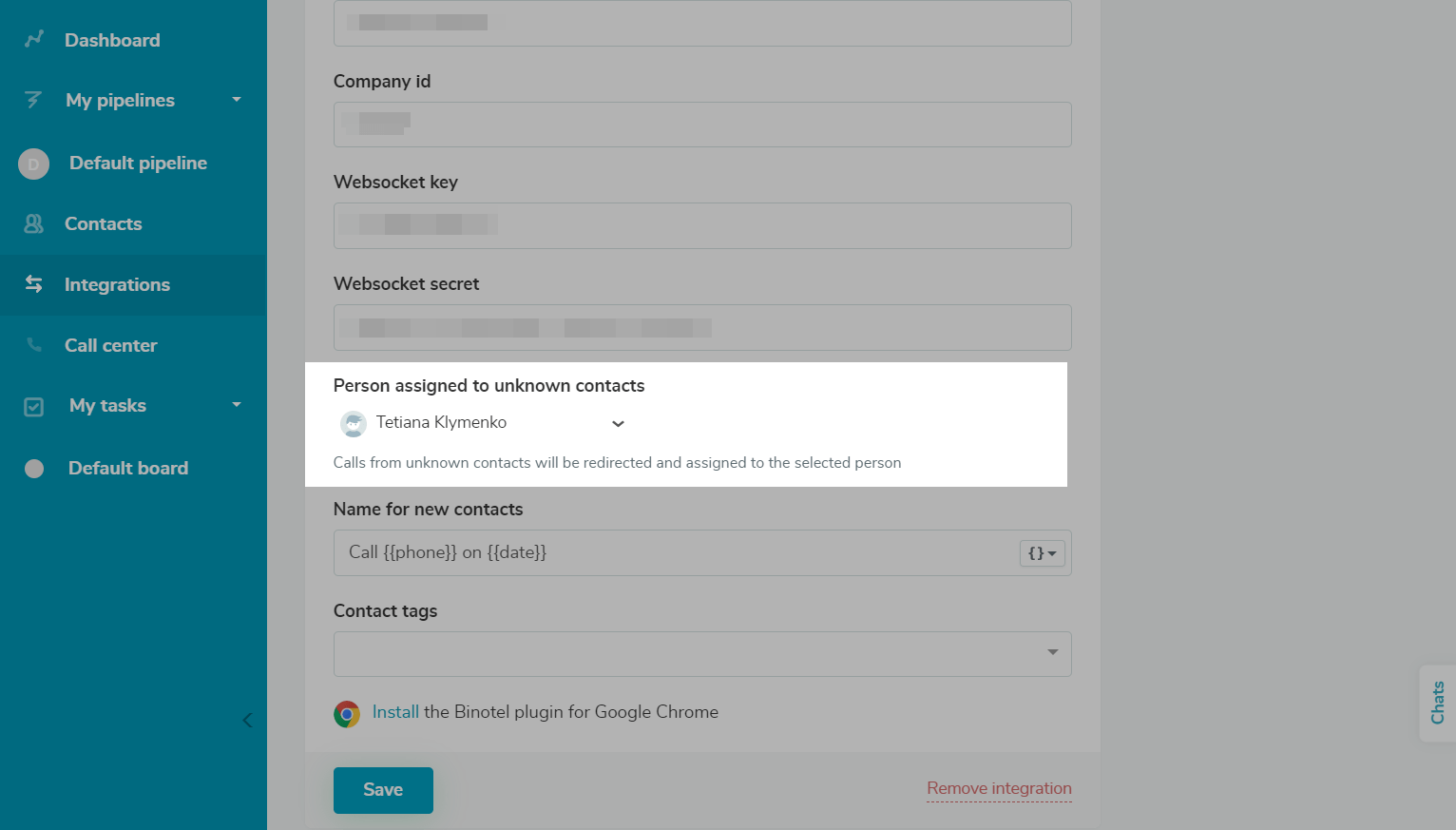
Choose your assignee manager for unknown contacts (those who are not registered in CRM).
To call your customers, you also need to connect a SIP telephony system. To do this, download and set up a program for Internet calls, such as Zoiper, MicroSIP, or Mumble,and contact your Binotel manager.
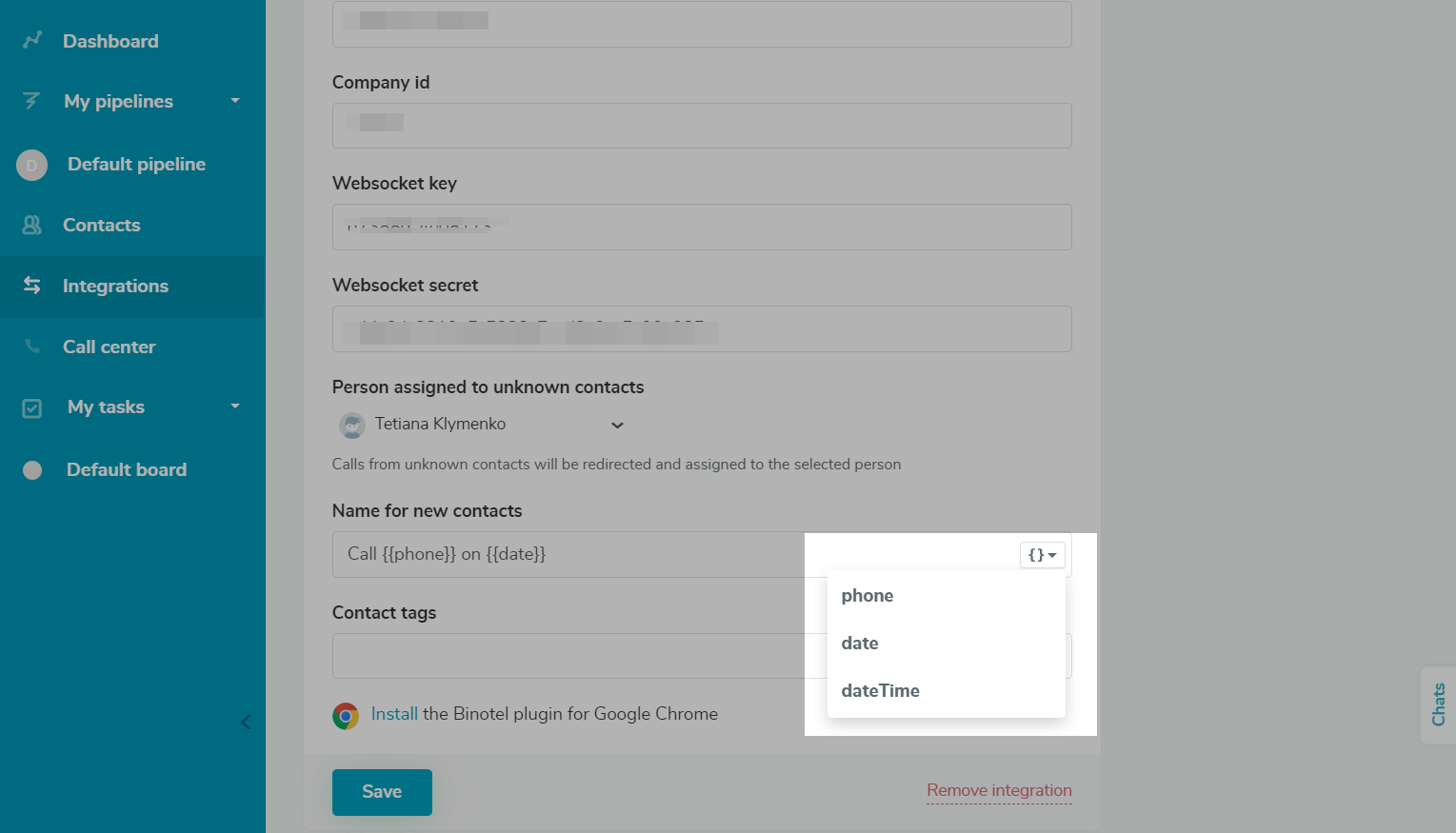
In the Name for new contacts field, you can enter a name to be able to identify new contacts. To set a naming rule, click the curly brackets icon, and select variables from the list. For example, you can add a customer’s phone number {{phone}} and the date and time when their call came in {{date}}.
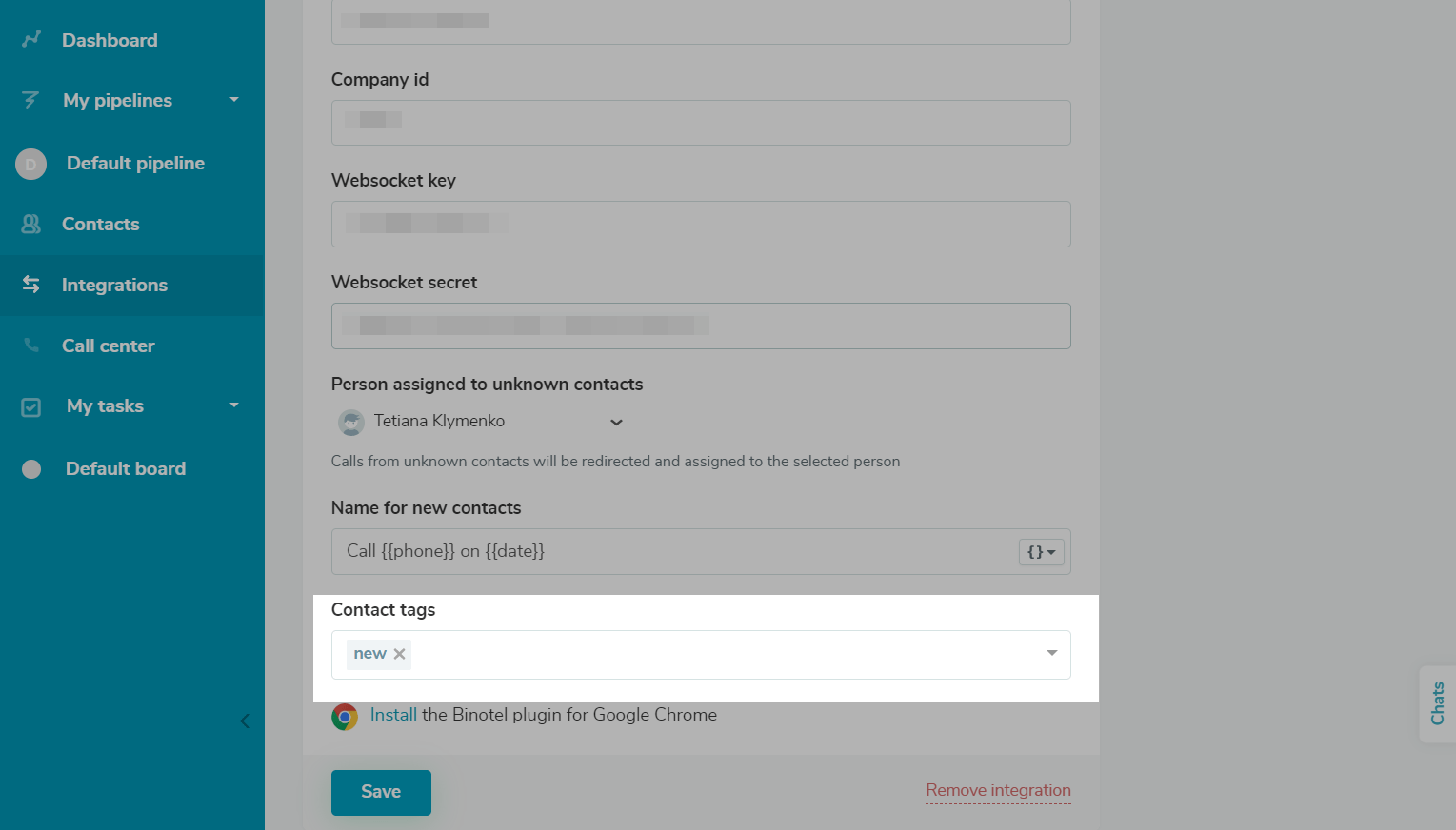
Assign tags to new contacts to be able to identify them easily. To do this, fill in the Tag field. For example, you can assign the New tag to all contacts who call you for the first time.
Click Save.
You can also install the Binotel plugin for Google Chrome.
How to work with the telephony system
You can call a client using the Contacts and Call Center CRM sections or call them directly in a deal.
Read more: Use telephony in CRM.
How to delete the integration
Go to CRM > Integrations tab, and select Binotel Telephony. At the bottom of the form, click Remove Integration.
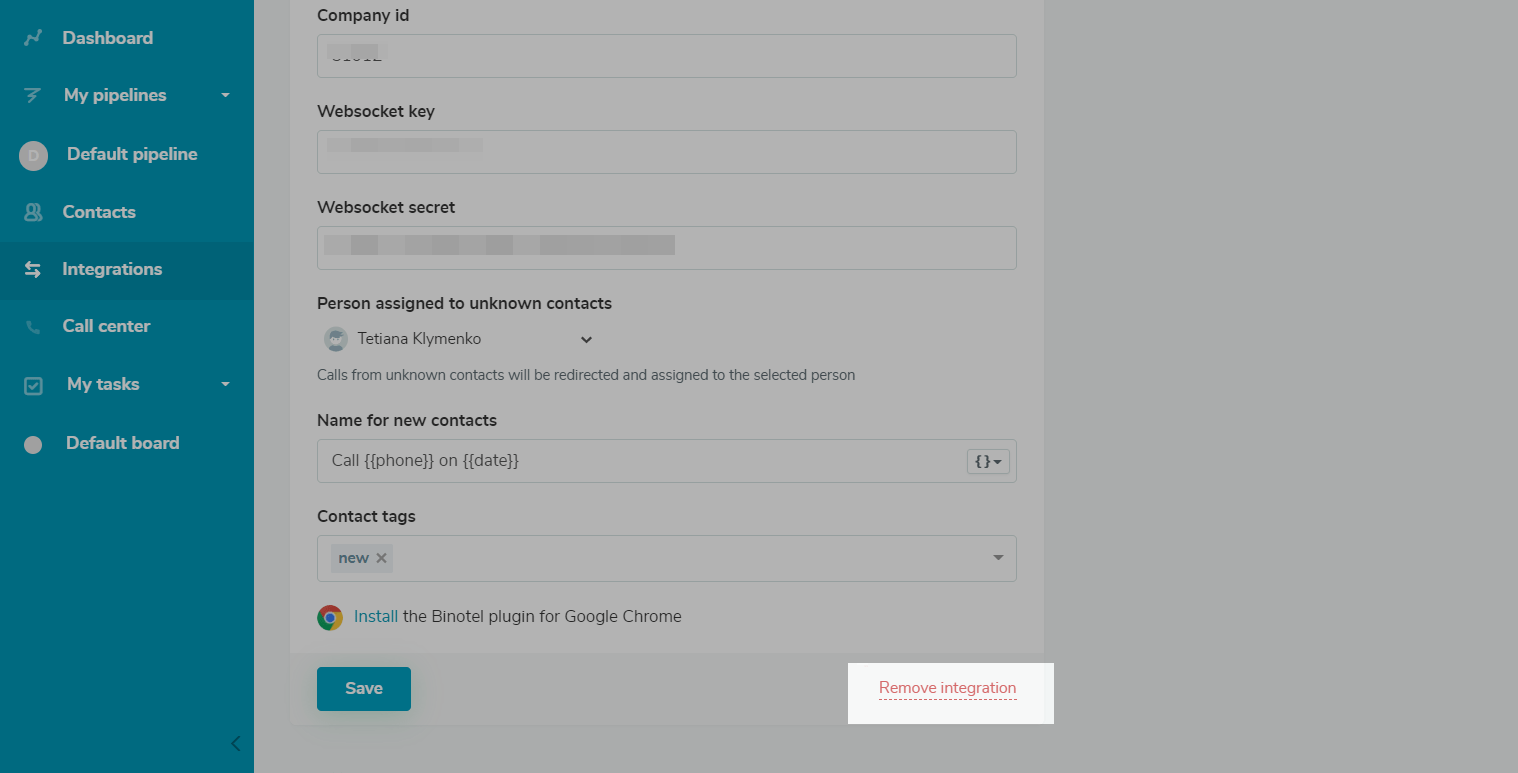
Check the Yes, I'm sure checkbox, and click Delete.
 Last Updated: 17.12.2025





or