Transfer UTM tags from subscription forms to a mailing list
While creating multi-channel subscription forms in the SendPulse builder, you can not only configure the transfer of information about the subscription event to your analytics system for tracking but also save sources and UTM tags to a mailing list as variables for the contact. Using this data you can create segments for more personalized and relevant campaigns to your subscribers.
After subscribing through the form, the data on the first user’s visit and the visit during which the subscription was made are transferred to the mailing list. However, for most tags, it is not necessary to configure ads or events in the analytics system.
Enable transferring UTM tags
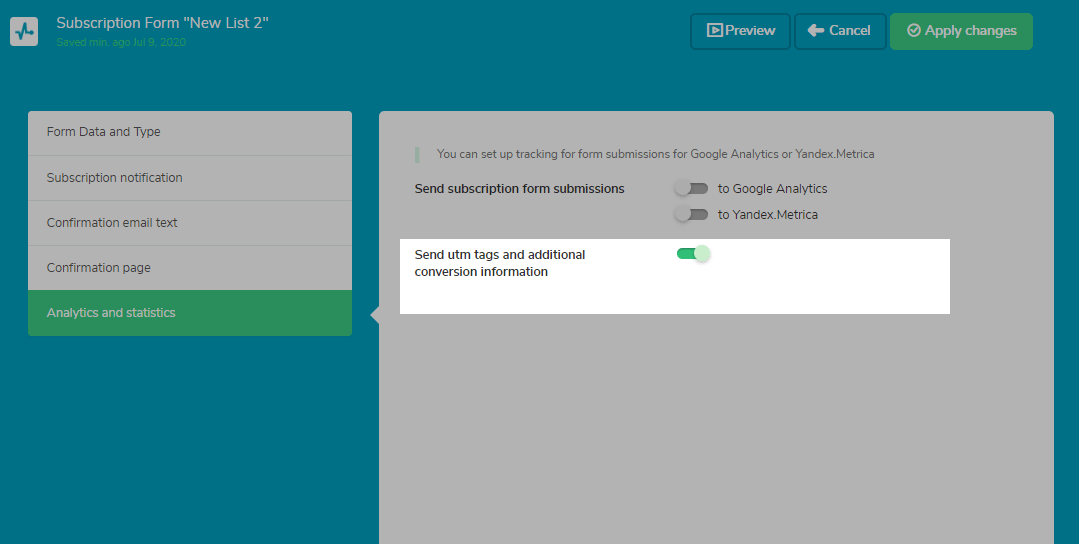
In the form builder, go to the tab Form Options > Analytics and Statistics. Turn the Send UTM tags and additional conversion information toggle switch to ON.
When is data transferred
Data is transferred to the mailing list along with the user’s contact info when they subscribe, after the user confirms their subscription via a confirmation email.
What data is transmitted
UTM tags determine where the user’s traffic came from during their first site visit or subscription. This data allows you to characterize the visitor’s path to your site.
Traffic sourcing is recorded in accordance with Google Analytics standards. The standards for using tags are listed later in this section, but if the tags are manually set by the user, they can take any value.
The following UTM tags are transmitted.
utm_source |
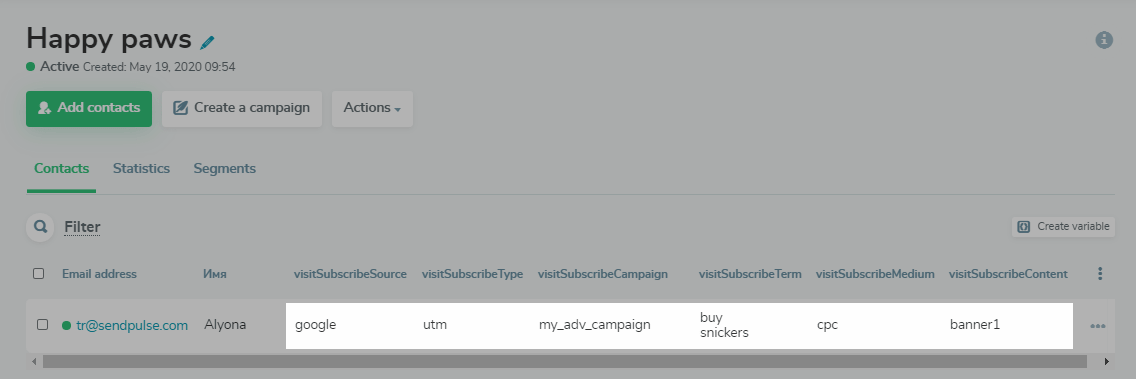
Determines the source of the traffic, i.e. from where the user was directed to your subscription form. For example, site.com (any site), Google, Facebook (and other social networks), or direct (the user entered the URL in the browser or accessed your site from bookmarks). |
utm_medium |
transmits the type of traffic, can transmit the following values: CPC (pay-per-click advertising), CPM (pay-per-impression advertising), referral, organic (went to your site from search engines), or social (click from a post, setting up advertising in social networks, etc.) |
utm_content |
Determines which content part was clicked, redirecting the user to the website. You can set different values within the same campaign, for example, separate values for your button, banner, and text. The link value located between the For example, the |
utm_term |
Is the keyword or phrase of the query by which the user got to your site from a search engine. This parameter will not be automatically set upon transition from organic issuance and is set manually in the settings of advertising services such as Google Ads. It is relevant for paid traffic from search engines. |
utm_campaign |
The name of the ad campaign. It is transmitted if the user was redirected to your site from an advertisement using a link with UTM tags. |
type |
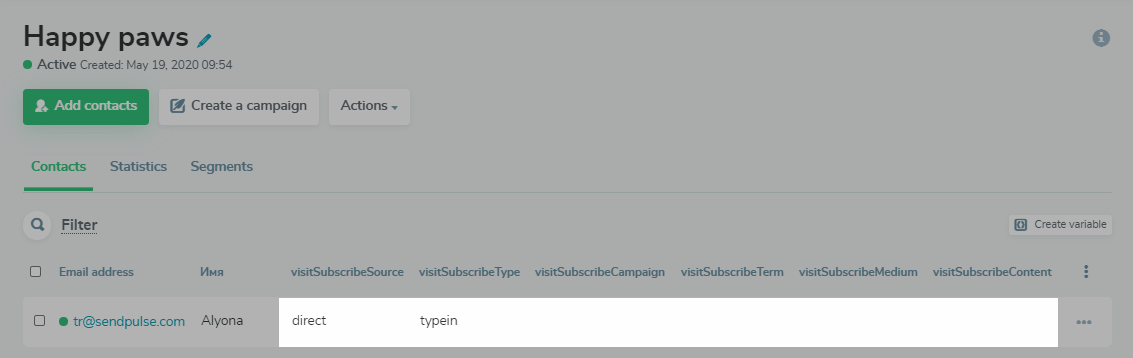
Automatically transfers the type of traffic based on the above parameters. It can transmit values: referral (came via link), typein (entered the URL in the address bar), organic (went to your site from a search engine), UTM (came via a link with a UTM tag, usually for advertising campaigns). |
In total, 6 values are transferred when the target action is performed — subscribing via the form.
Please note: if the parameter value is absent, then the variable value will be empty; If this was the first contact with an empty value, this variable will not be created in the address book.
In the mailing list, you can also configure the display of variables: which to show and which to hide.
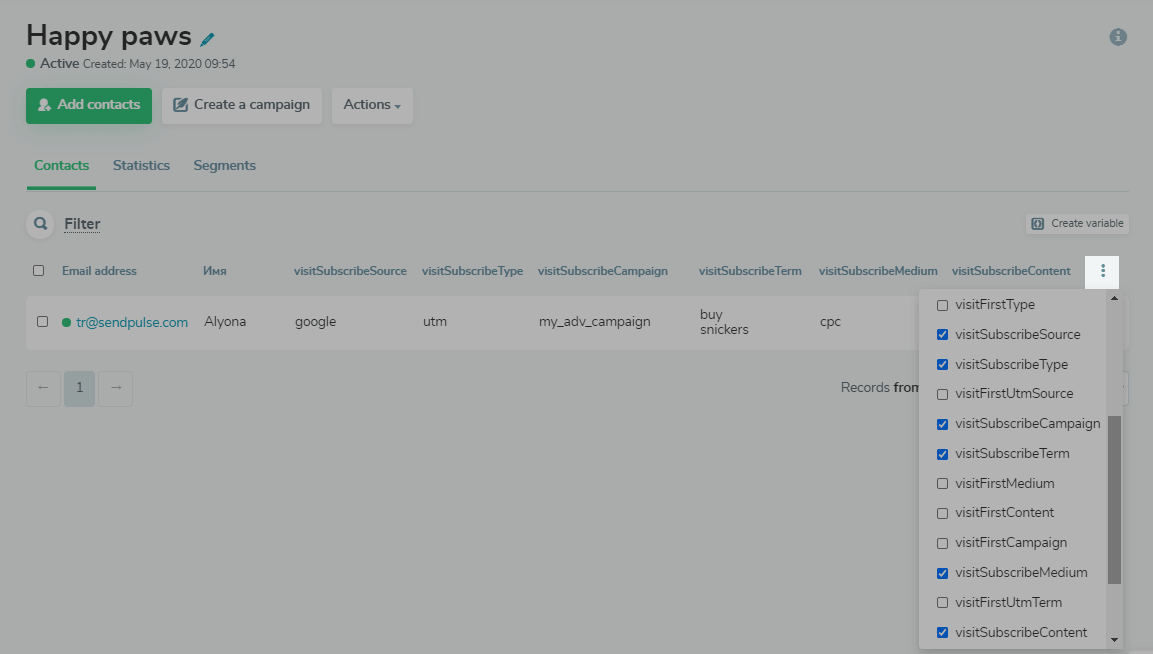
Examples of tags that are transmitted from different sources
Below we will analyze how labels are collected based on different user behavior, and how to interpret them.
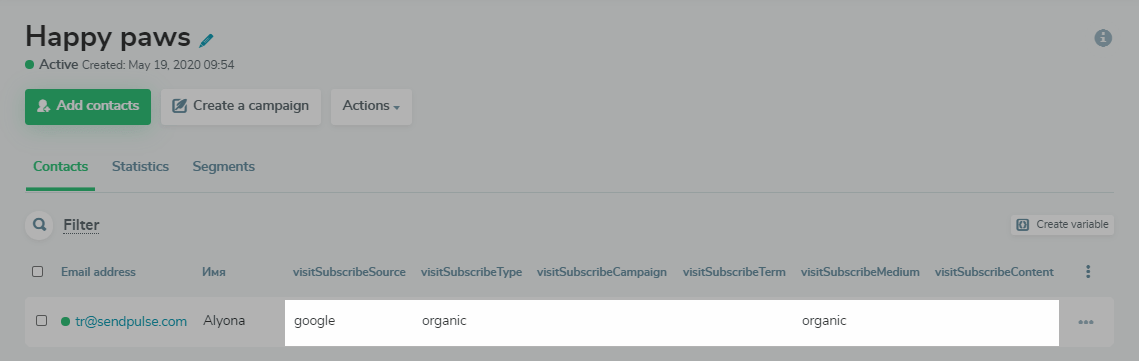
The user went to the site from a search results page.
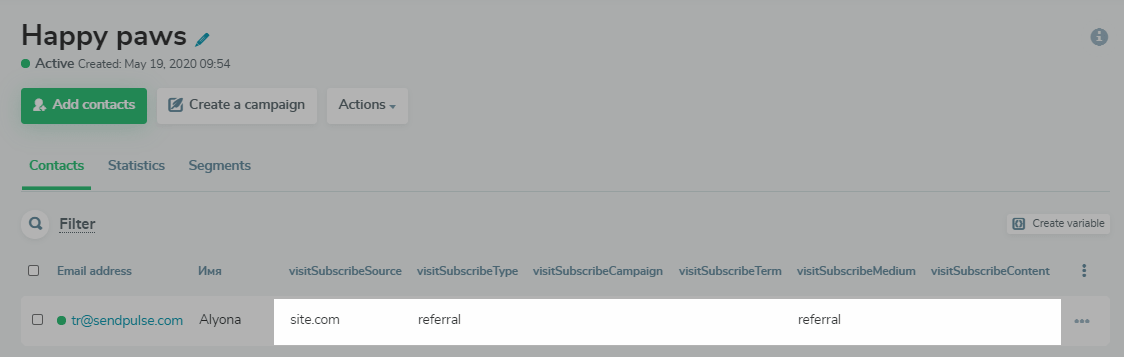
The user followed a link from another site.
The user entered the target site’s URL, where the subscription form is located, in the address bar.
The user came through an advertising campaign with UTM tags.
 Last Updated: 04.12.2023





or