Run a flow when a user comments on your post
You can run Instagram chatbot flows automatically when a user leaves a comment on your post. This helps you engage your audience, share freebies based on keywords, run giveaways, or reply quickly.
In this article, we will talk about how the Comment on your post trigger works and how to set it up.
You can use this flow to reply to common customer inquiries about your pricing, product availability, delivery, and more.
To ensure that your message is relevant, we recommend tailoring it to specific content that users interact with.
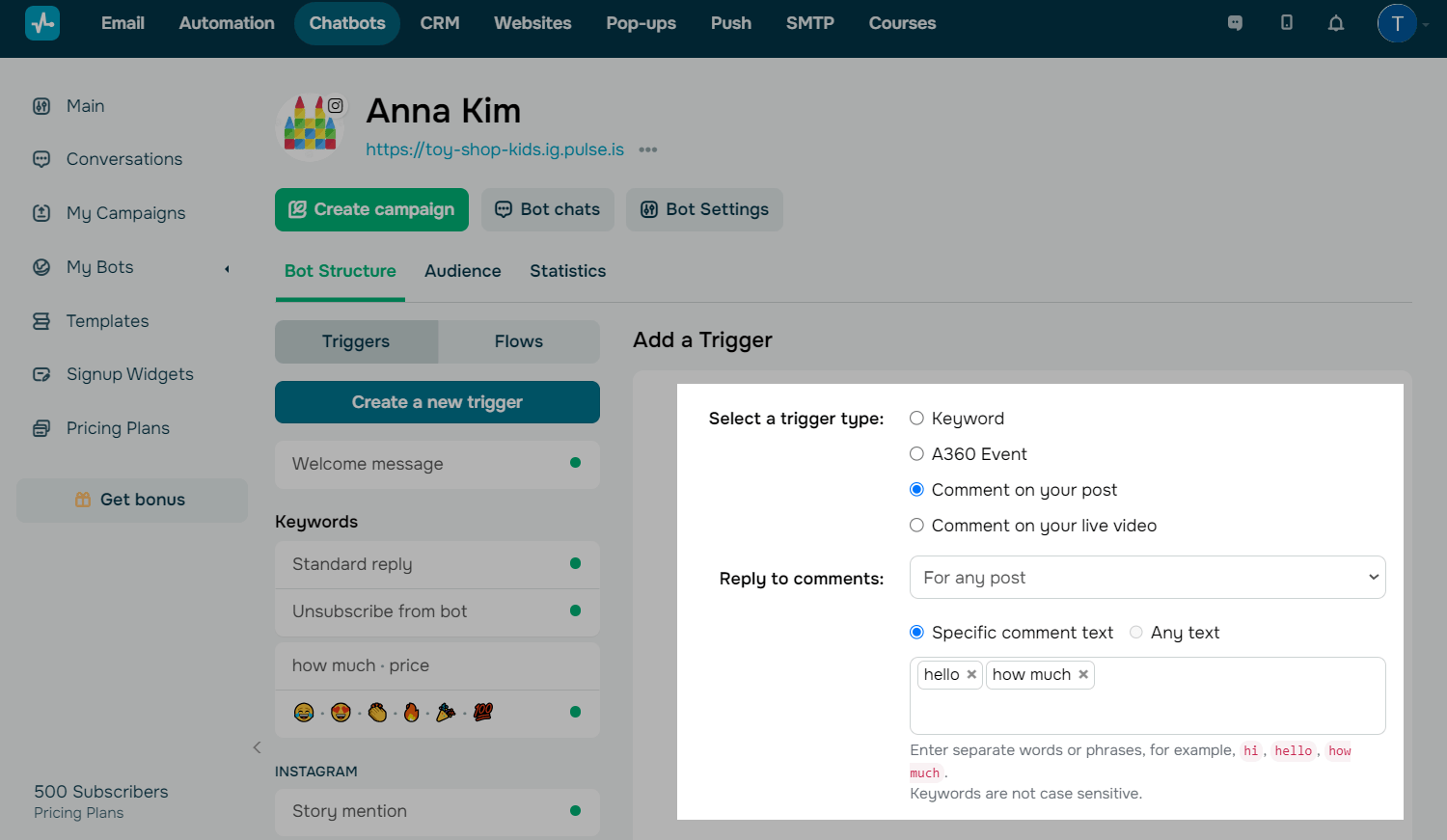
Go to your chatbot and click Create a new trigger on the left.
Select Comment on your post in the settings.
You can use the Welcome message, Standard reply, and Unsubscribe from bot standard triggers in any chatbot. To create your own triggers, use keywords and Automation 360 events.
Read more: Create a new chatbot flow trigger.
Instagram allows you to send a flow within 24 hours. It can only include one message and one button or multiple quick replies.
If a user replies or taps a button, they will subscribe to your chatbot. Afterward, you can continue messaging them without these limits. To keep the conversation going, encourage users to reply.
Posts and keywords
You can also add a keyword that will run your flow. To do this, select Specific comment text, and enter the keyword. If you want any post comment to trigger your flow, select Any text.
The system recognizes individual words and phrases as commands, for example, hi, price, working hours, how much does it cost. The maximum keyword size is 32 characters.
Public comment replies
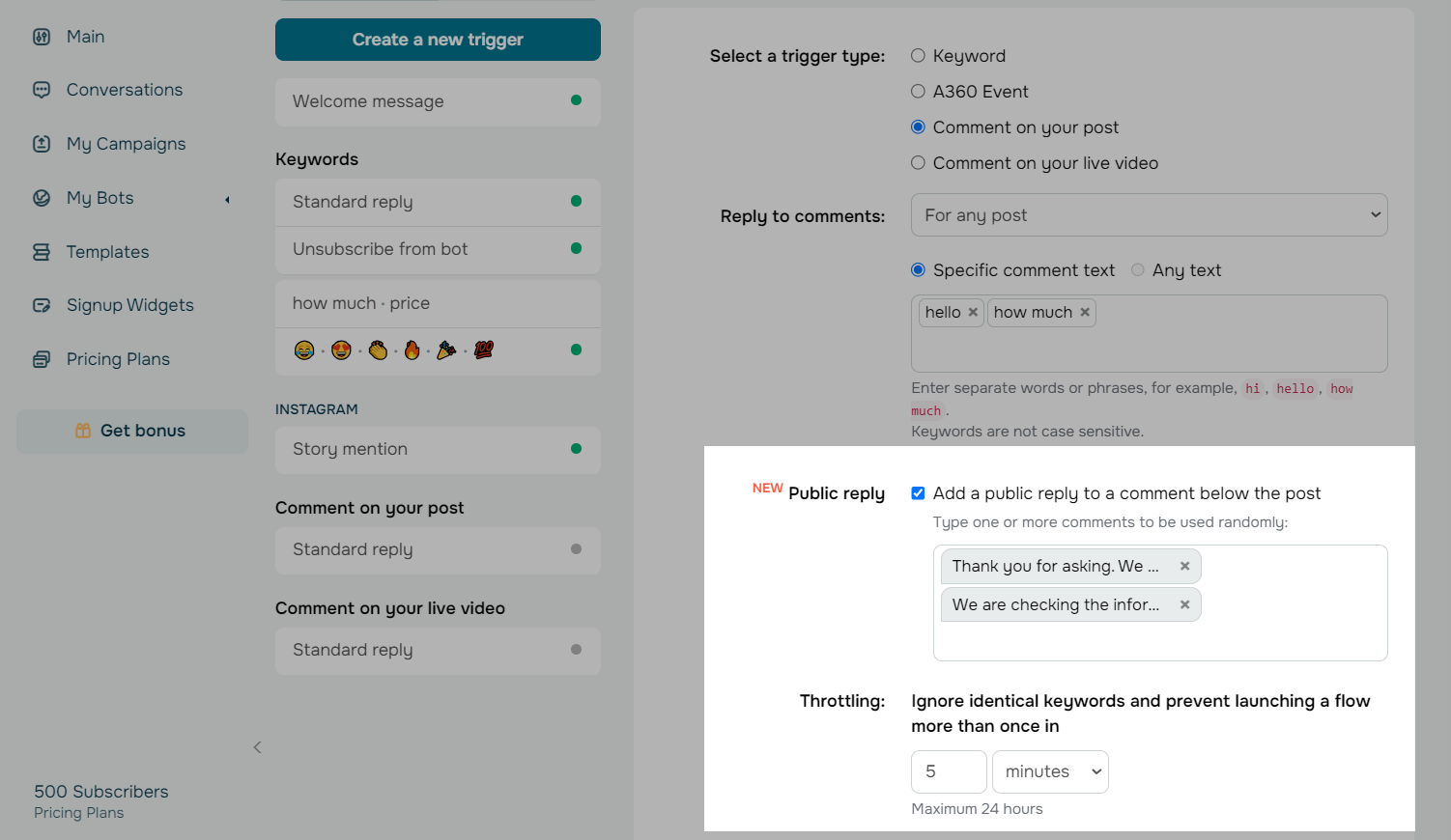
You can also set up and customize your comment replies and send them randomly.
Select the Public reply checkbox, and enter a text that will be randomly sent as a reply to a comment.
We recommend adding multiple comment reply options because Instagram can limit the activity of accounts that reply to comments using the same text.
In the Throttling section, specify a throttle interval.
 Last Updated: 26.11.2025





or