Create a chatbot flow trigger
A trigger is an event or command that a subscriber sends in a chat. When the event occurs, the trigger fires automatically and launches the linked chatbot flow.
The bot can respond to:
- keywords in messages;
- events from external systems;
- user actions in a channel, such as subscribing, leaving a comment, or opening a chat.
Triggers let the bot respond to user actions at the right moment: send replies, display menus, collect data, or route the conversation to a different logic.
Let’s talk about the trigger types and how to set them up.
Standart triggers
By default, three triggers with a flow are enabled for all channels:
| Welcome message | Triggers after a user subscribes to the chatbot. |
| Standard reply | A reply to a subscriber message that does not contain any keywords. |
| Unsubscription from the bot | Messages sent to subscribers when they send the /unsubscribe or /stop command. |
Adding a trigger
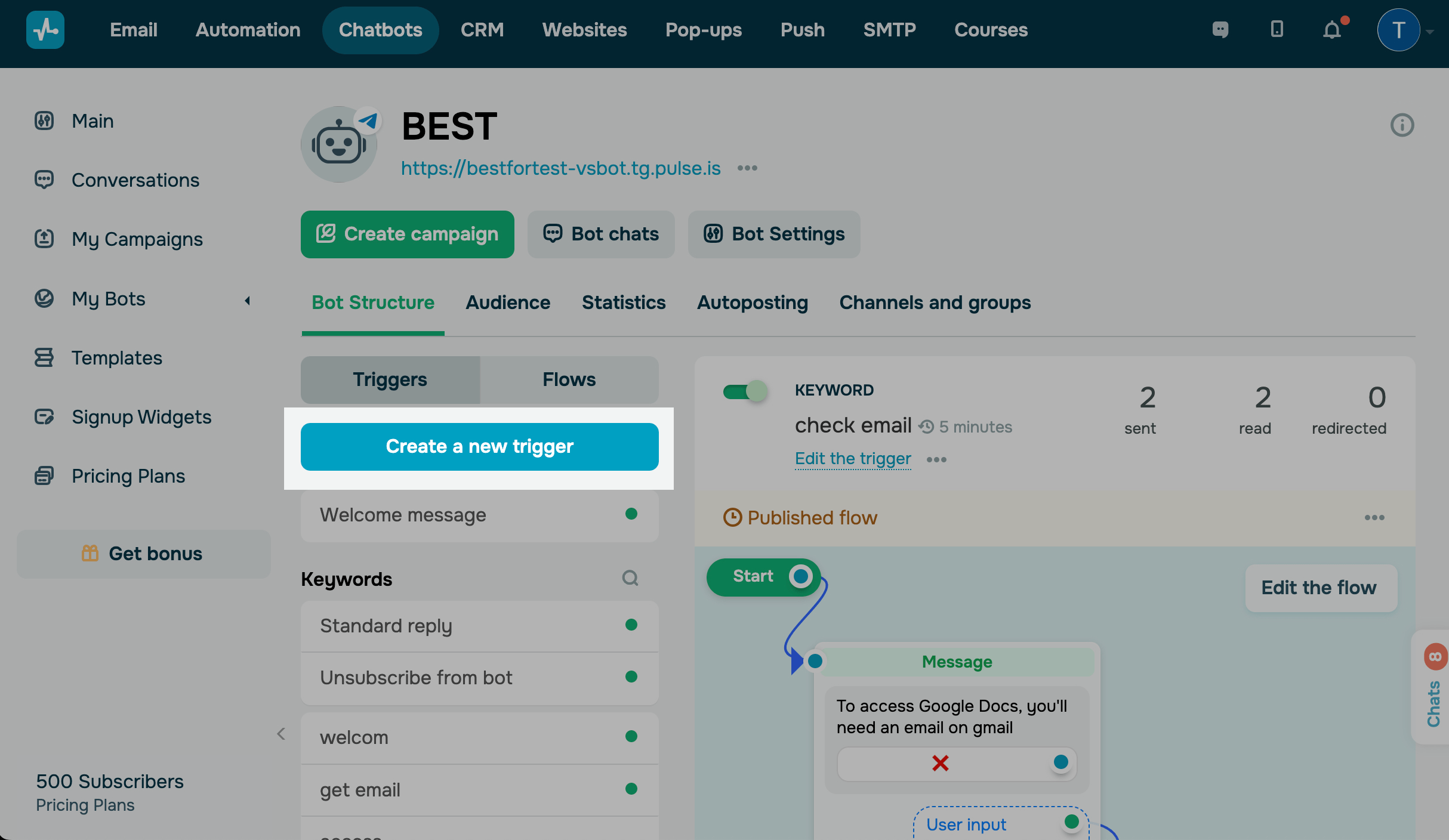
Go to your bot, open the Bot structure tab, and click Create a new trigger.
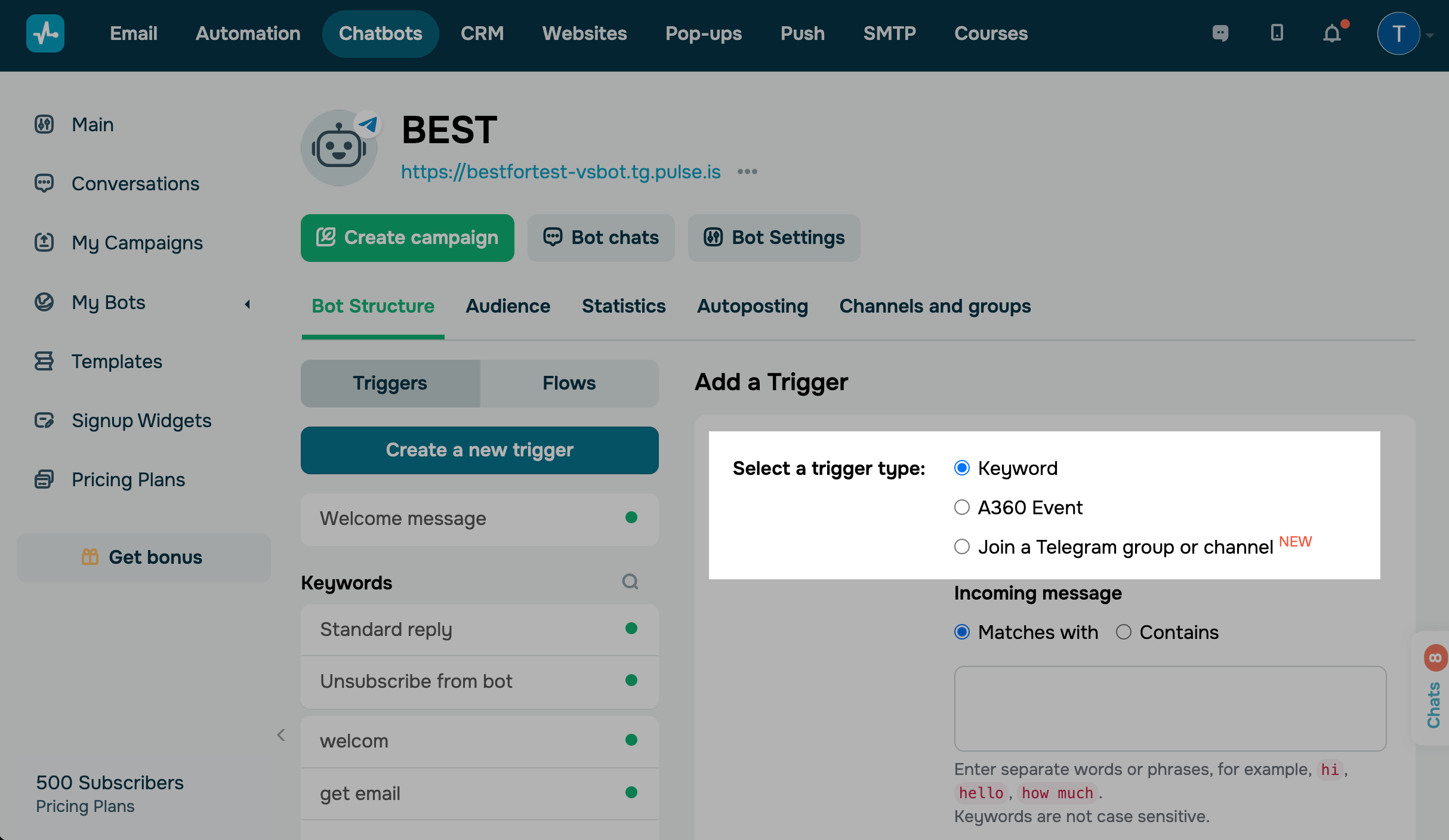
Select an event and enter a keyword that will trigger the flow. You can create a trigger with the following events:
| Keywkord |
Launches the flow after the subscriber sends a message that contains a keyword. Specify the keywords* and choose the trigger recognition option (Matches or Contains). |
| А360 Event |
Launches the flow after an event is received for the selected contact. Specify the event you want to track. |
Depending on the channel, there are also additional triggers for launching flows. Read more about how to set them up in the relevant articles:
| For Facebook bots | Comment on a post |
| For Telegram bots | |
| For Instagram bots | |
| For WhatsApp bots |
After you set up the trigger, click Add. Once the new trigger is added, you can select the flow it will launch.
 Last Updated: 25.11.2025





or