Run a flow when a user sends a Telegram Business message
With Telegram Business, your chatbot can respond to private messages automatically. This helps you run flows every time a user contacts you, which is useful for support, lead capture, and customer service.
In this article, we will talk about how the Messages for Telegram Business trigger works and how to set it up.
You can use the Welcome message, Standard reply, and Unsubscription from the bot standard triggers in any chatbot. To create your own triggers, use keywords and Automation 360 events.
Read more: How to manage chatbot flow triggers.
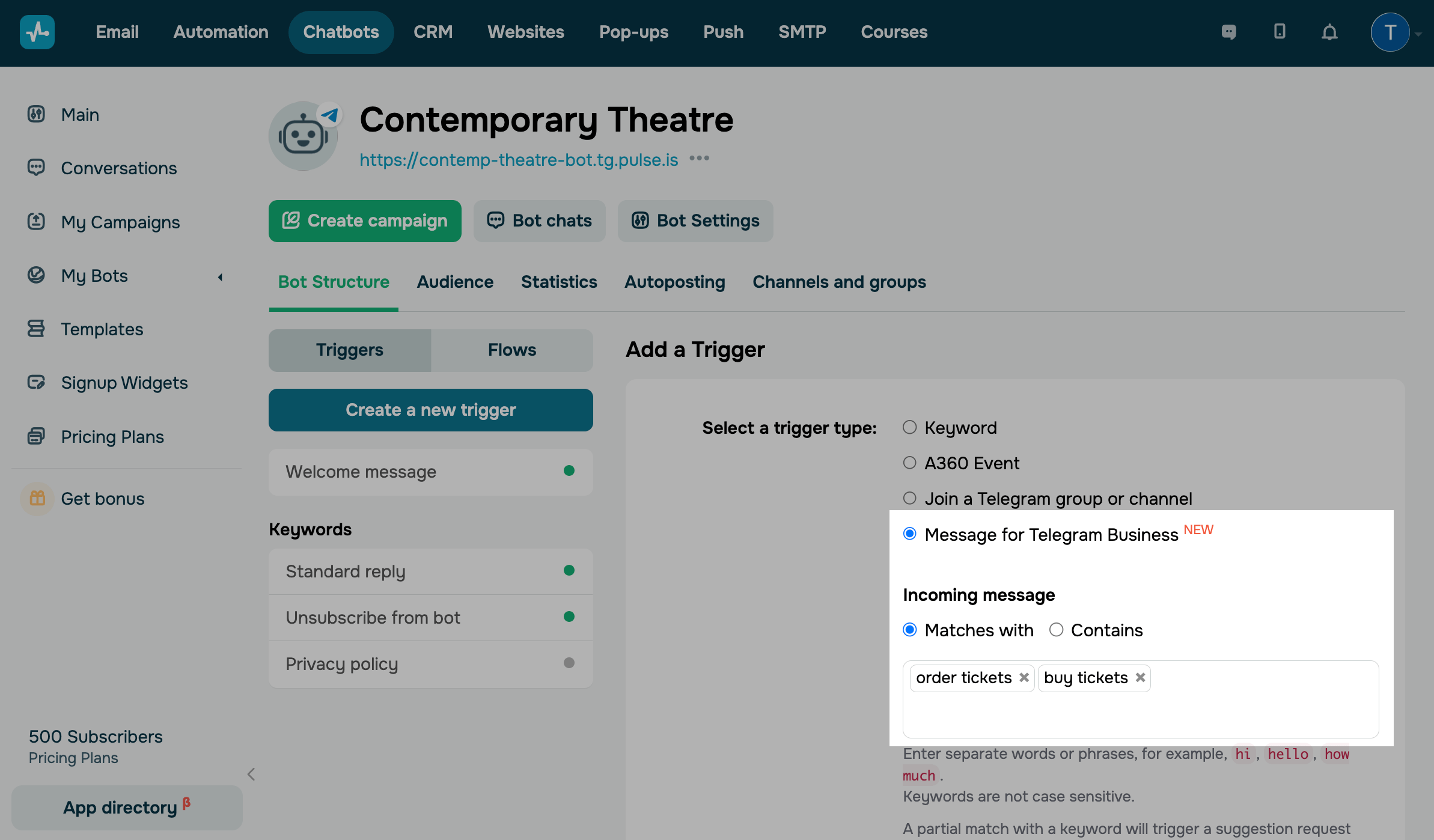
Go to your Telegram bot, and сlick Create a new trigger. Select Messages for Telegram Business, enter keywords, and select a recognition method (Matches with or Contains). Click Save.
The system recognizes individual words and phrases as commands, for example, hi, price, working hours, how much does it cost. The maximum keyword length is 32 characters.
Read also: How to use Telegram Business in chatbots.
 Last Updated: 25.11.2025





or