Launch a bot via a link or QR code
You can create a link to start your chatbot flows. When a user follows your link, a messenger chat opens and your trigger flow will launch.
Any user who is not subscribed to the chatbot, but clicks your link, will see the “Get started” button. When the user clicks on the button, the triggered flow will launch, this flow will become the welcome flow.
How link launch works for different messengers
For Facebook users, the flow will start immediately if the user has already subscribed.
For Telegram and Viber users, the flow will start after clicking the "Run" button.
For WhatsApp users, the flow will start after sending the preset text to the chat. When clicking on the link, the user will open a chat with your bot, and the message you entered will be in the text input field. When the user submits it, a flow will start for them.
For Instagram users, you can send links that open a direct message or trigger a chatbot flow. Your flow can start and receive parameters only on mobile devices and only if your chatbot has an active greeting menu.
Creating a link
Choose your chatbot, navigate to the Bot structure tab, choose created trigger flow. Click on the drop-down menu and choose Link to launch a flow.
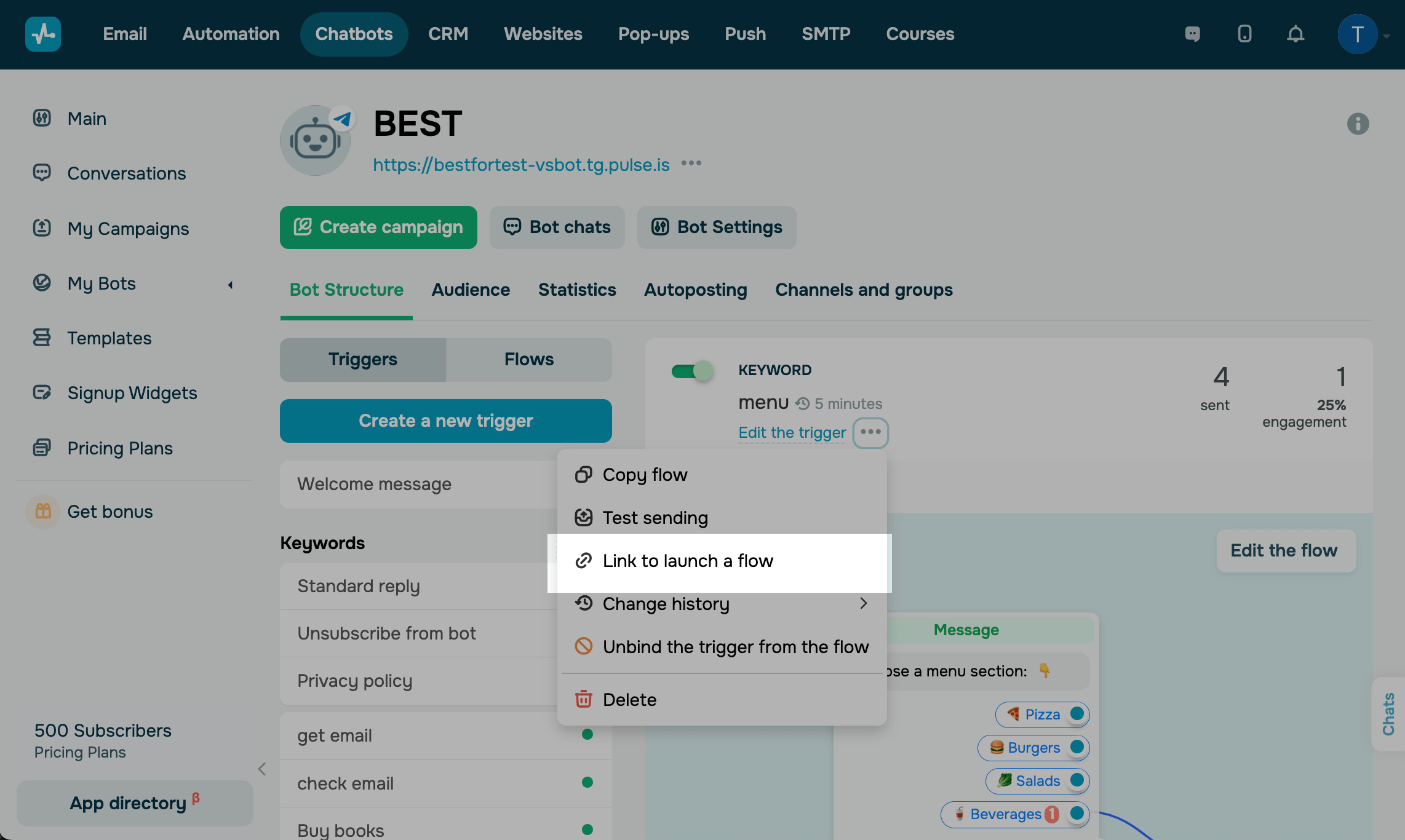
You can copy the following link formats.
| Link to launch the flow | Format is a direct link to your chatbot. |
| Link to launch a flow with parameters | The format is a link by following which the user will subscribe to your chatbot, and your specified value will be sent to the required variable in the bot's audience. |
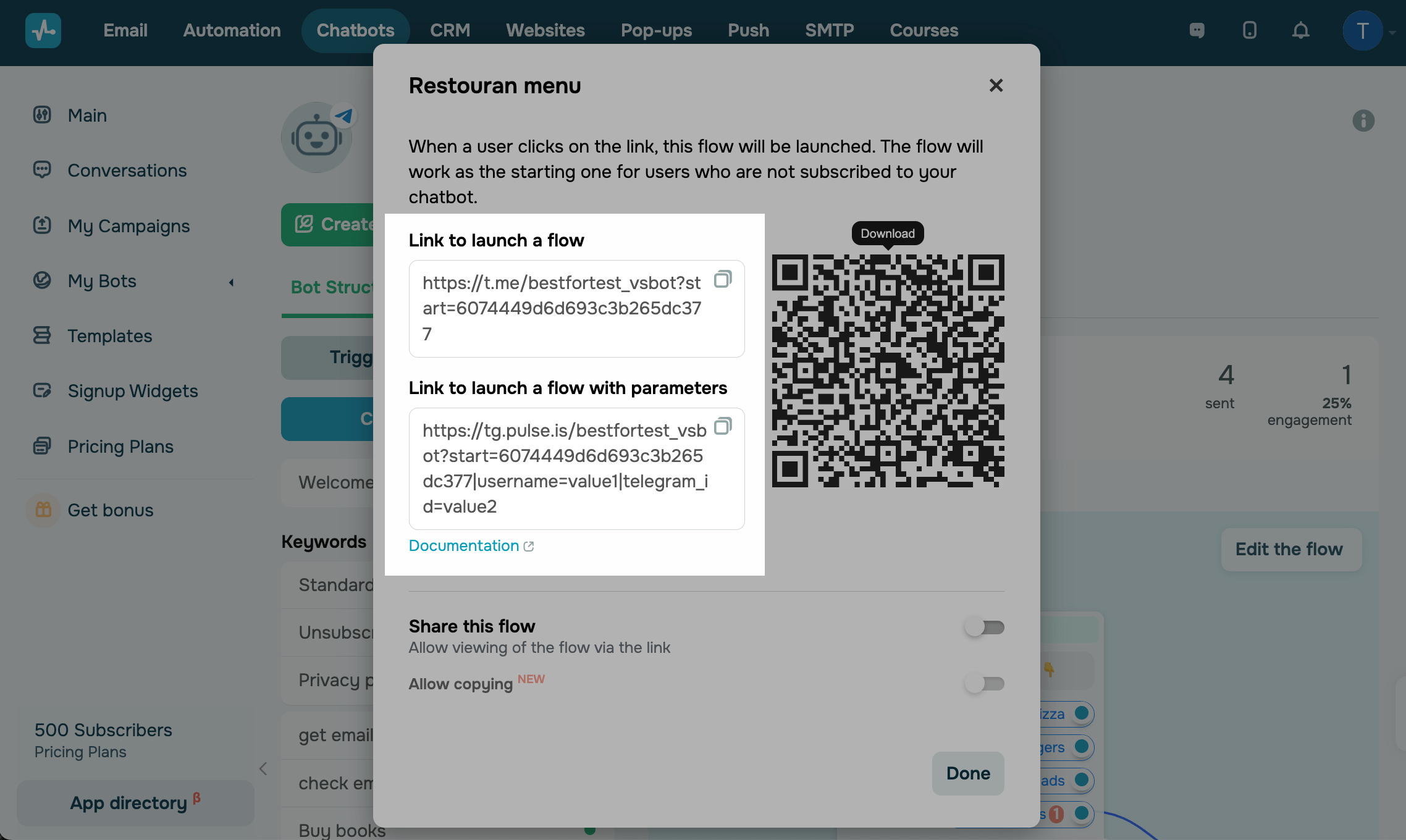
The Telegram chatbot flow will have the t.me/bot_name?start=%flow_id% link, where %flow_id% is the flow id that can be copied from the address bar or obtained using the Get a list of flows API method.
The Facebook chatbot flow will have the m.me/{page_id}?ref=%flow_id% link, where %flow_id% is the flow id that can be copied from the address bar or obtained using the Get a list of flows API method.
You can also pass variables when subscribing to a bot by pasting them into a link.
Read more: How to transfer custom variables during a subscription to a chatbot.
You can share this link directly or add to your site as hypertext or a button.
Also, you can create a QR code for the link. When a user scans the code they will automatically follow the link.
Creating QR code
A QR code is a barcode that consists of black and white blocks and allows you to encode information, in this case, a link. Information stored in the code can be recognized using a smartphone or tablet - point the camera at the code and a window will appear asking you if you want to open the information in the application.
Under the flow name, click the dropdown menu button, and select Link to launch a flow. Click on a QR code to download it and save to your device in the JPG file format.
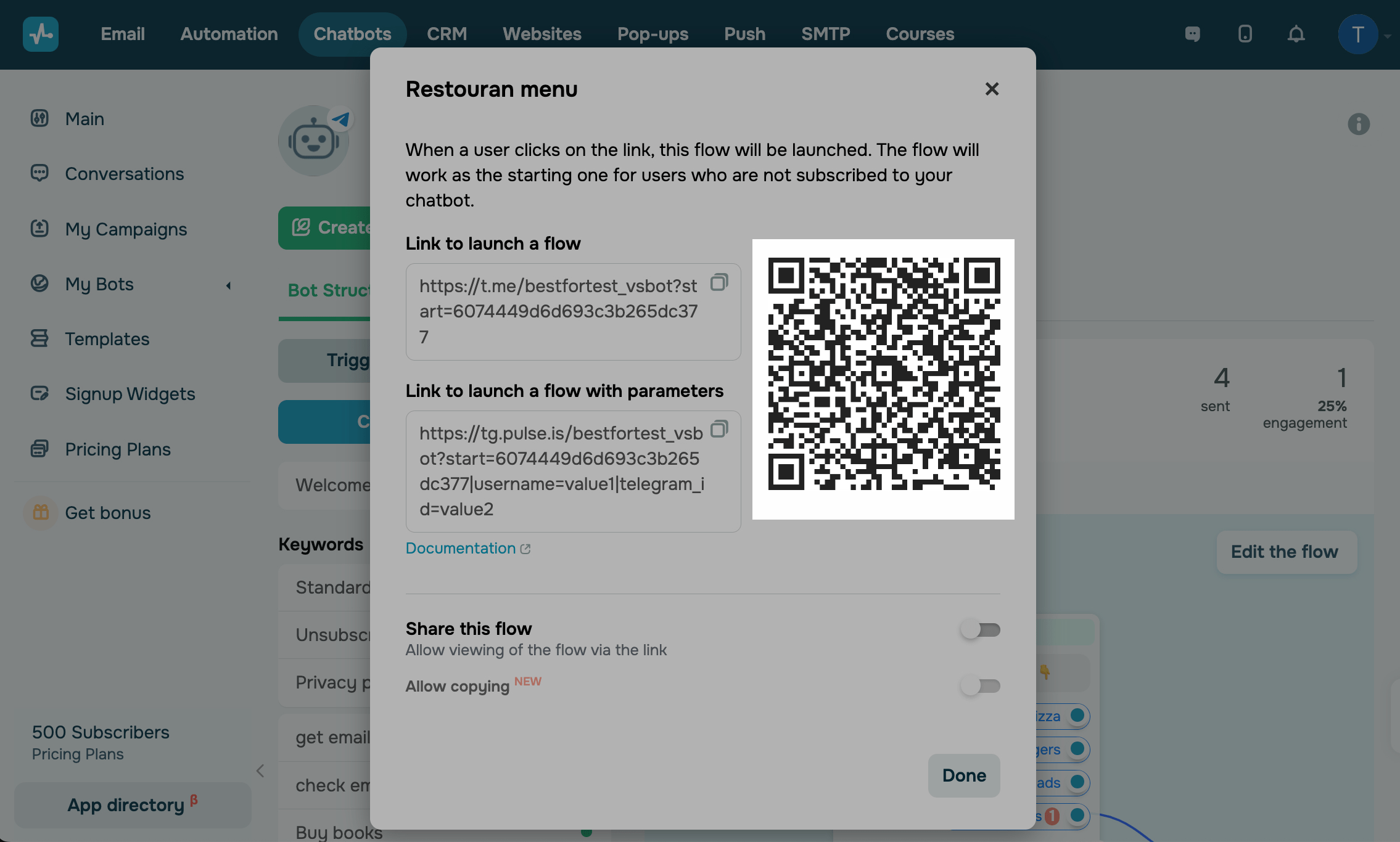
You can also share your flow so that other users can view its structure or copy it.
 Last Updated: 24.09.2024





or