Set up your personal account
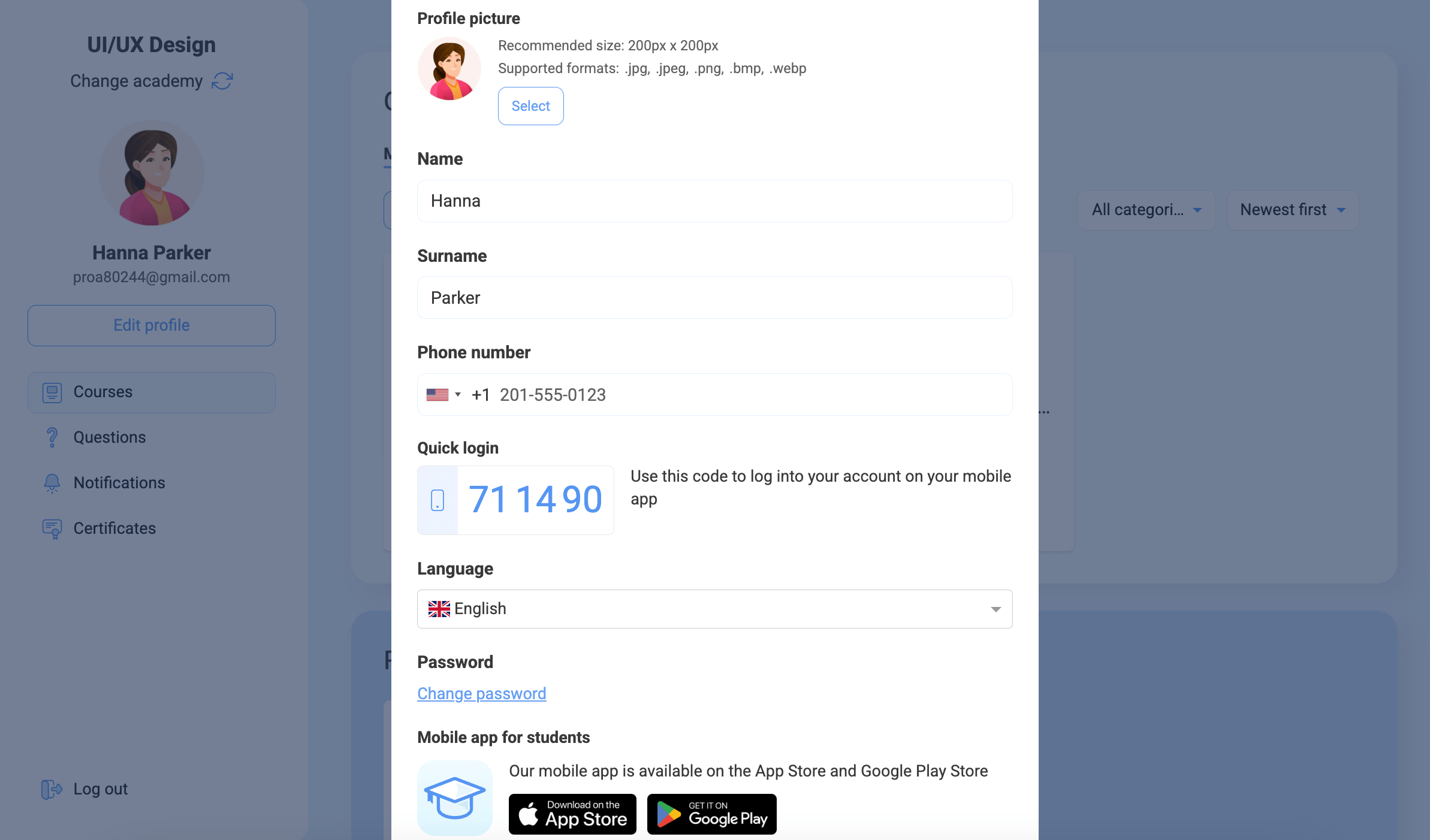
In your personal account, you can edit your first and last name, select a language, and change your password. To do this, click Edit profile.
Edit or add personal information in the following fields:
| Profile picture |
Upload an image in JPG, JPEG, PNG, BMP, or WEBP format. Recommended size: 200 × 200 px. |
| Name | Enter your first name (up to 128 characters). |
| Surname | Enter your last name (up to 128 characters). |
| Phone number | Select a country code and enter your phone number. |
| Quick login | Use this code to log in to the Education by SendPulse app. |
| Time zone | Select your time zone from the list so that courses, events, and reminders show the time based on your location. |
| Date format | Select a date format: YYYY/MM/DD, DD/MM/YYYY, or MM/DD/YYYY. This will determine how dates appear in your account, messages, and schedule. |
| Language | Select the language of your account and notifications. |
| Password | To change your password, enter your current password, then enter and confirm a new password. |
In the Mobile app for students section, you will find a link to the Education by SendPulse app.
In instructor account, instructors can also customize your student account style.
 Last Updated: 13.08.2025





or