View Viber element statistics
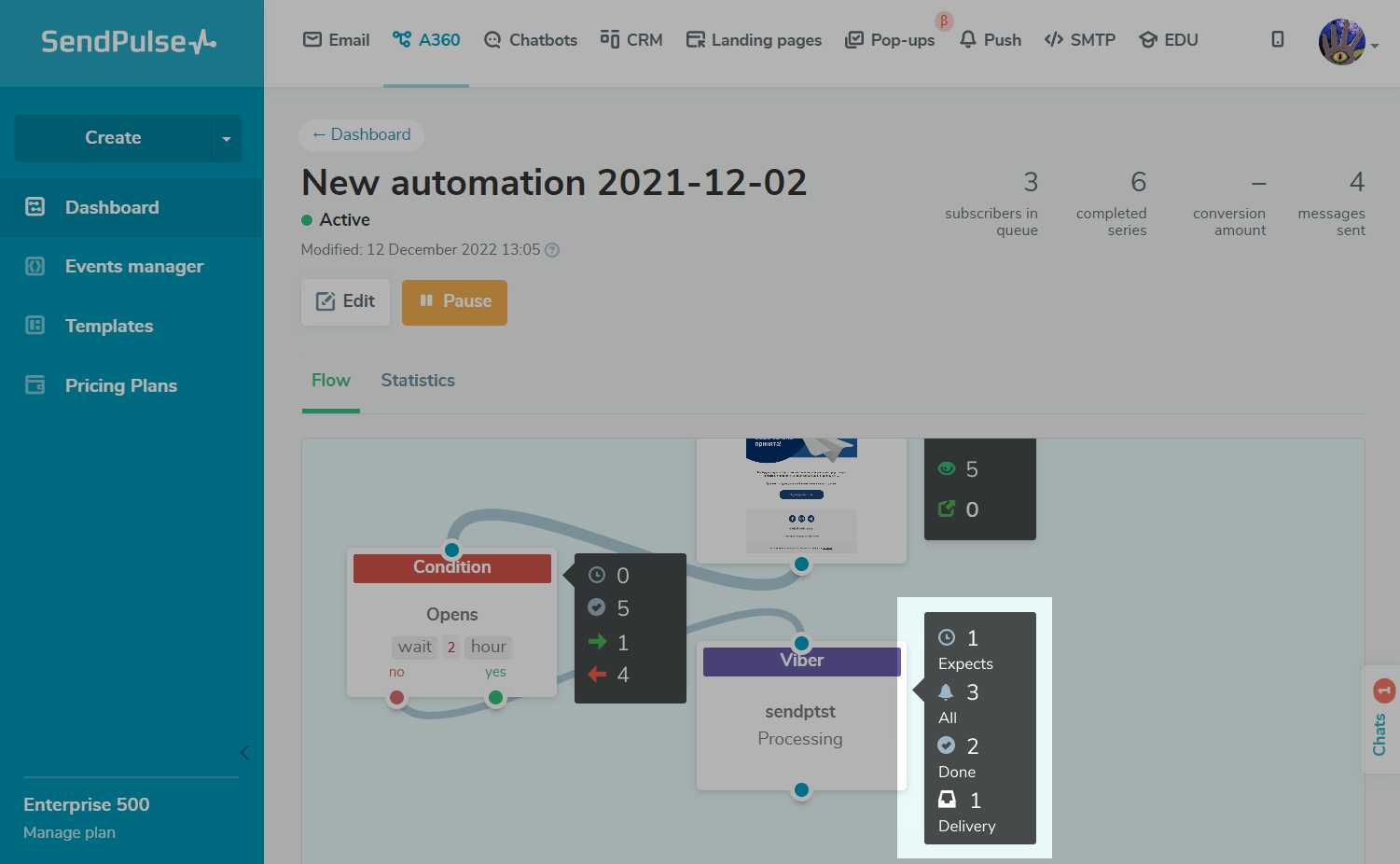
To view detailed information about an element, exit the editor, and hover over the required element in the Flow tab.
Your element can have the following statuses:
| Expects | Contacts are waiting for the element execution time you set in the Complete Action settings, or contacts are waiting to be processed. |
| All | The number of all contacts that have reached this element. |
| Done | Your message was sent to the recipient via Viber. |
| Delivery | Your message was delivered to the recipient via Viber.
To get the |
Please note that if contacts go through the flow with the Viber element and their email addresses are not associated with phone numbers, then the Viber element will not be executed, and the movement along the flow will continue. In the statistics of launches, a skipped element is not recorded.
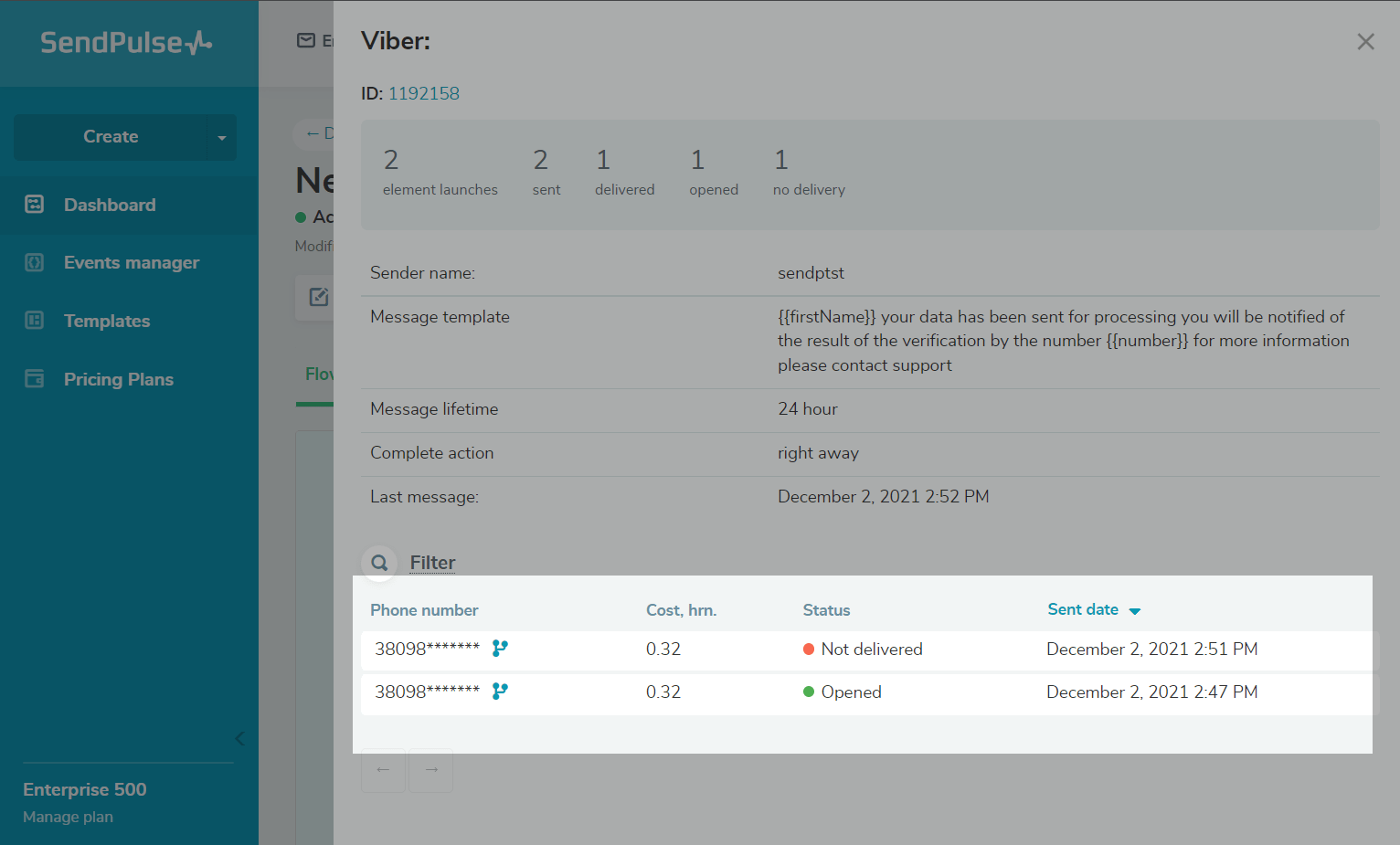
To view detailed information, click an element. A panel with your element settings and statistics will open. Below, you can view your list of contacts, message cost, delivery status, and delivery status change date.
Sending an element to a recipient can receive the following statuses:
| Waiting for delivery reports | The message has been sent to the user |
| Delivered | The message has been delivered to the user |
| Opened | The user opened the message in Viber |
| Redirected | There was a click on the link specified in the message |
| Not delivered |
The message was not delivered to the user. Possible reasons for non-delivery: the limit on the number of messages has been exceeded, or an error is present in the message template. |
| Insufficient balance | Not enough money to send the message, or Viber balance is blocked. |
| Invalid sender name | The sender's name is inactive or entered incorrectly. |
| Invalid phone number | The user's phone number is incorrect. |
| There are no phone numbers for this country in your list | Phone numbers for the specified country are missing from the contact list. |
| The phone is blacklisted | The user's phone number is blacklisted. |
| The balance is temporarily locked | The user's balance is temporarily locked. |
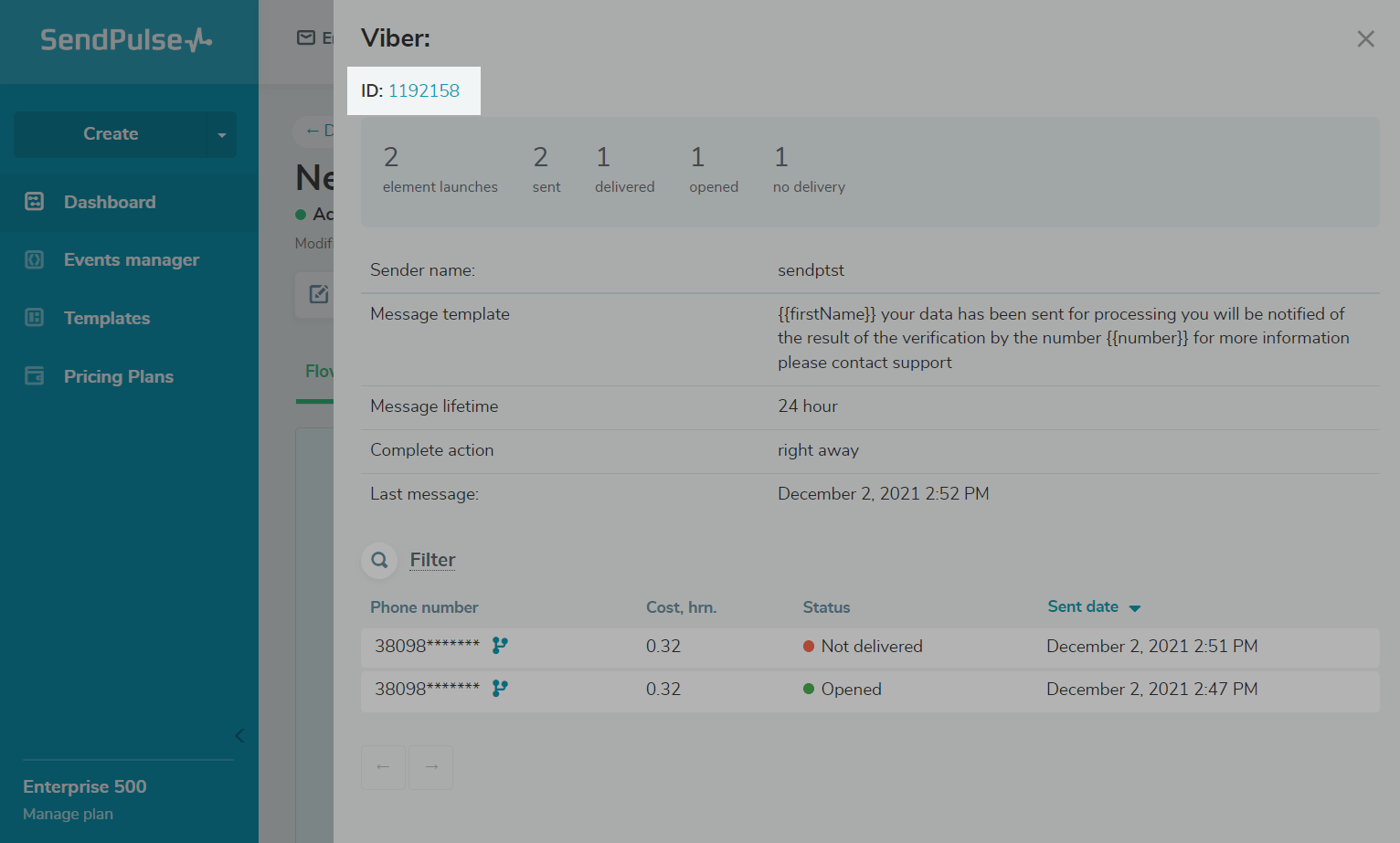
You can also click an element ID and start editing the element.
 Last Updated: 06.01.2026





or